Sorting by columns
When the List view type is selected, the user can sort the displayed items according to the values of the attribute displayed in any column by right-clicking on the heading of the column and selecting Sort Ascending or Sort Descending.
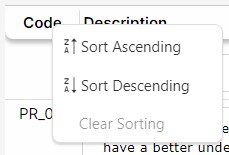
The sorting criterion can be discarded by clicking on Clear Sorting.
An arrow indicating the sorting direction appears in the column heading:
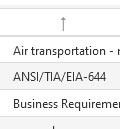
Clicking on the heading of the column, the Sort Ascending option is directly applied; clicking again the Sort Descending option is applied.
The list can be sorted by several columns:
- Click on the heading of the column with the first sorting criterion (click twice if you want the Sort Descending option to be applied).
- Right-click on the heading of the column with the second sorting criterion and click on Sort Ascending or Sort Descending.
- Right-click on the heading of the column with the third sorting criterion and click on Sort Ascending or Sort Descending.
- Repeat the process in all columns you want to use as sorting criteria.
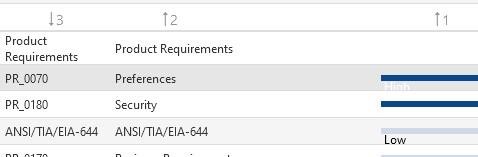
An arrow indicating the sorting direction appears in the column heading along with a number that indicates the order in which the column sorting is being applied: