Filters based on displayed attributes
When the List View type is selected, the user can apply a filter on the list of items based on the values of the displayed attributes. To apply a filter, click on the Show filter row button 
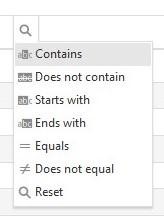
The available options for defining the filter depend upon the type of attributes in the column. For example, the text attribute the options are:
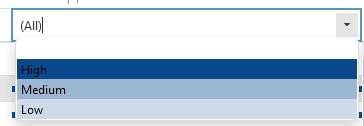
For an enumerated attribute there will be a drop-down menu where the user can select a value: