
Permissions Management (Access control)
Permissions are assigned to user groups on the access partitions:
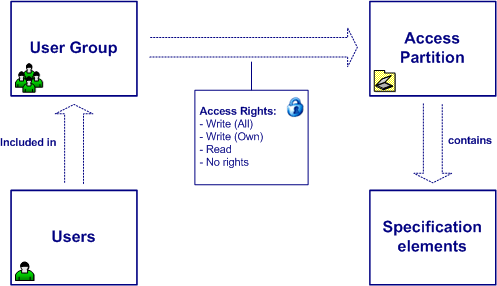
The permissions are defined at project level. Thus, a user of the Visure database may have different permissions on different projects in the Visure database.
Permission levels
The permissions levels that may be assigned to a group on an access partition are:
- No access. The users of the group cannot view the elements in the access partition.
- Read Only. The users of the group may only read the elements in the access partition.
- Write own. Each user of the group may only modify the elements of the access partition that have been created by him.
- Write all. The users of the group may modify all the elements in the access partition.
Establishing permissions
In the Permission Management tab, you will be able to establish the corresponding permissions for the groups to the partitions.
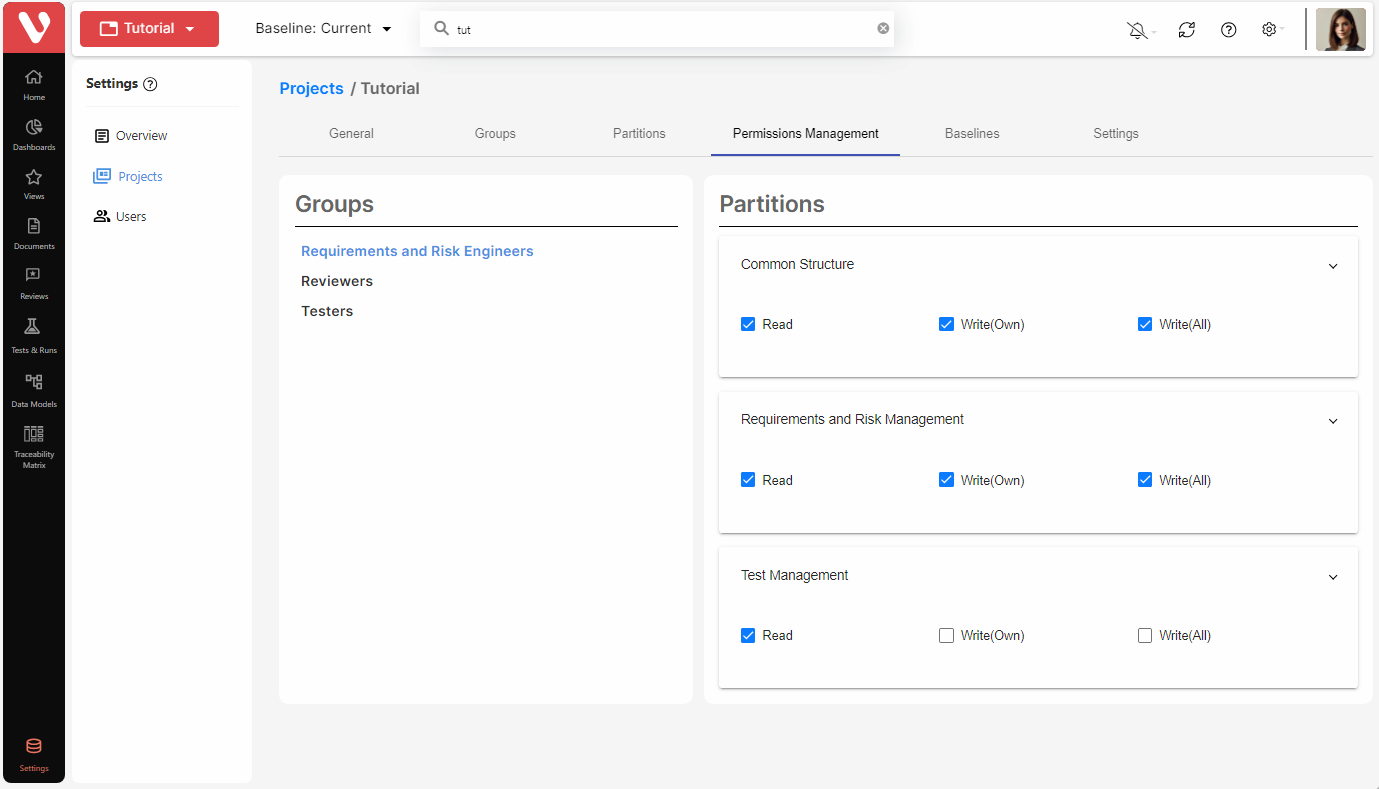
The list on the left shows the user groups in the project; the list on the right shows the access partitions in the project and inside each partition, the user may select the appropriate permissions held by the users of the group selected on the partition selected.
To establish permissions:
- Select the user group to be assigned permissions.
- Expand the corresponding access partition on which permissions are to be assigned to the group.
- Select the access level of the users of the user group selected on the access partition selected.