
Properties Panel - Details Tab
When an item is selected in the grid, information of the item is displayed in the Properties tabs. The corresponding tab can be displayed by clicking on the icon, and it can be collapsed by clicking on the arrow at the bottom of the panel (
The details tab display system and user (custom) attributes of the selected item
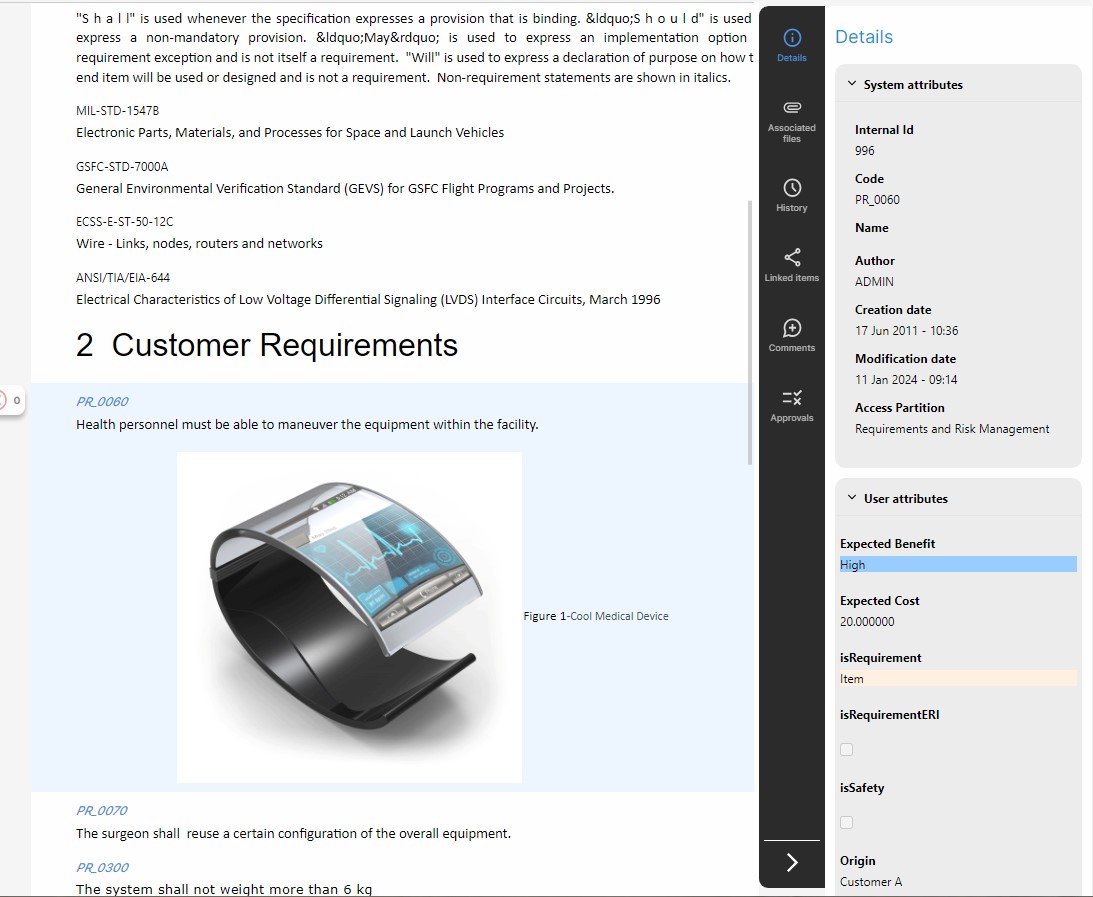
- The System attributes are Visure-defined attributes, common to all items. Some system attributes such as code, name and access partition may be modified in this tab if the item is checked out, but others such as Author, Creation and Modification date may not be modified at all.
- The User Attributes are a list of user-defined (custom) attributes in which scope the item is included, and the values of the attributes for the item. They can be updated in this tab.
If the user selects multiple items, this tab can also be used to update the access partition and the user attributes for all selected items at the same time if they are all checked out.