
Traceability diagram
The traceability diagram is a very convenient capability that allows users navigate through the traceability of the project to analyze the impact of a change. While is not meant to create, change or remove traceability.
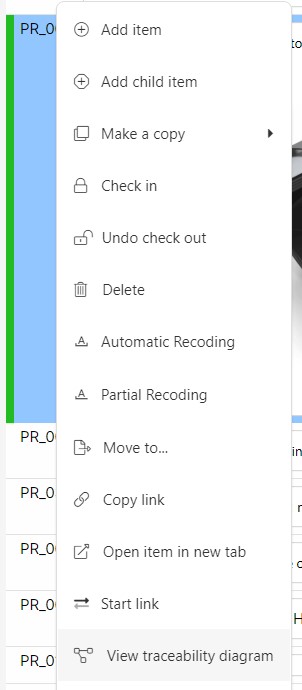
This diagram is available by right-clicking on top of an item that has traceability and selecting View Traceability Diagram.
This option displays the selected item in the center of the diagram. At the left of the item, there will be a list of all the items with incoming links, in white boxes. Between the center item and the items with incoming links, there will be a box indicating the documents these items belong to. At the right of the center item, there will be a list of all the items with outgoing links, in grey boxes. Between the center item and the items with outgoing links, there will be a box indicating the documents these items belong to.
The links will represent a color coding indicating the type of link e.g. satisfied by, reviewed by, etc, and the supect status. If the relationship is suspect, it will be marked in red.
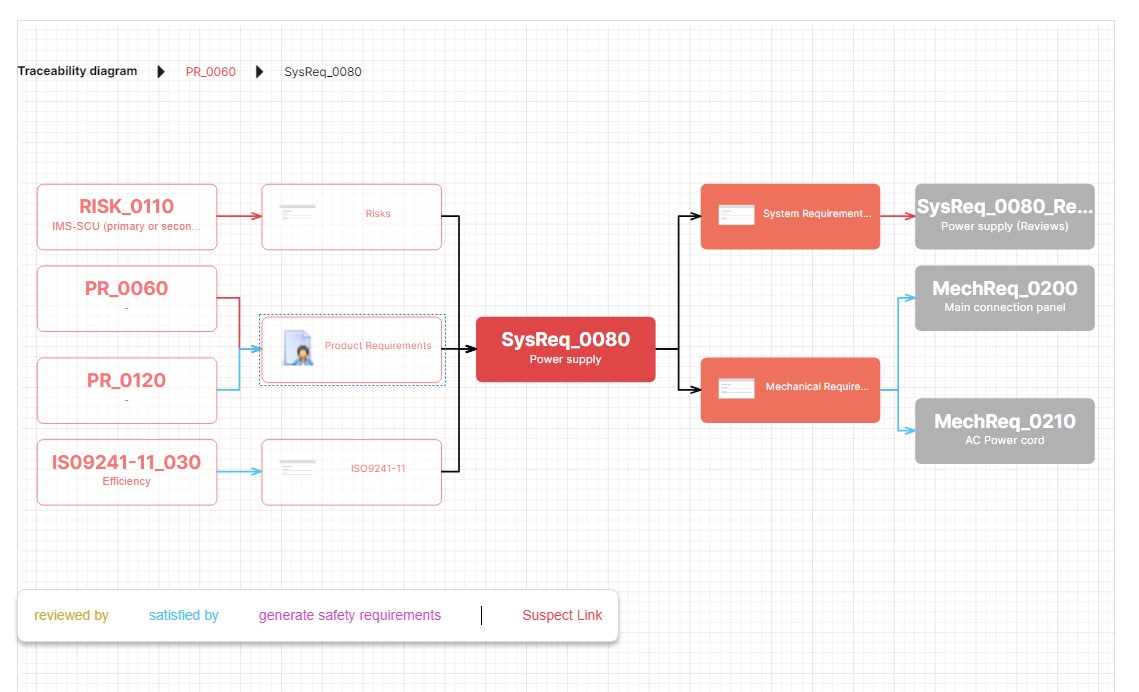
A breadcrumb at the top left-corner of the diagram will allow users to go back to previous steps. .