Email Configuration
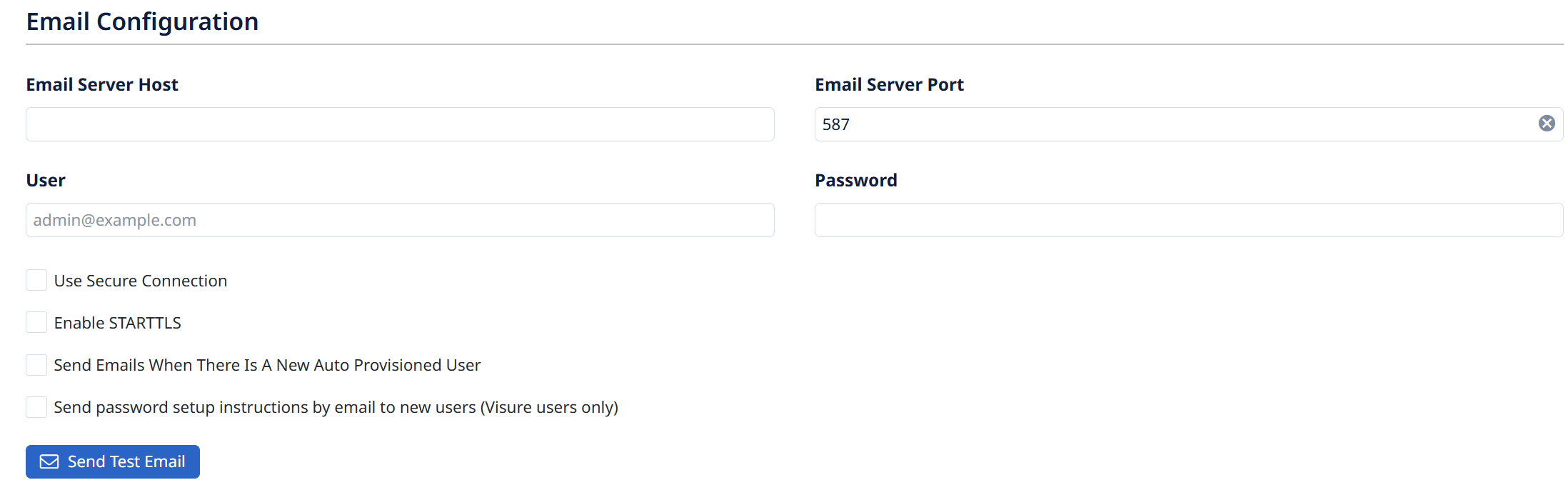
Sets up the mail (SMTP) server Visure uses to send notifications — password resets, new-user instructions, and item subscription alerts. Without it, "Forgot your password" and email notifications won't work.
- Email Server Host — your SMTP server address.
- Email Server Port — the SMTP port (e.g.
587). - User — the sending account (e.g.
admin@example.com). - Password — that account's password.
Options:
- Use Secure Connection — send over an encrypted (SSL/TLS) connection.
- Enable STARTTLS — upgrade to TLS after connecting (common on port 587).
- Send Emails When There Is A New Auto Provisioned User — notify when a user is auto-created (e.g. via SSO/LDAP provisioning).
- Send password setup instructions by email to new users (Visure users only) — email new Visure users a link to set their password (not for SSO/LDAP accounts).
Use Send Test Email to verify before saving.