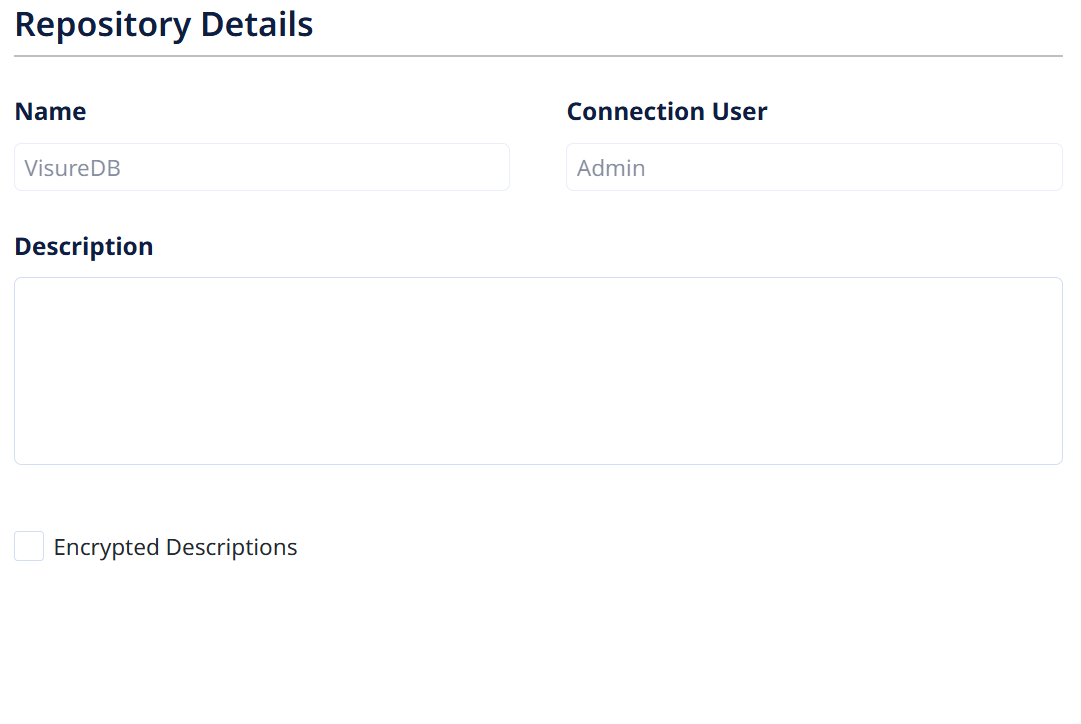
Repository Details

The repository settings include the following information:

  • Name: Database name. This field is not editable.
  • Connection User: User that opened the Visure database.
  • Reusability Support: Checkbox showing if reusability is enabled in the Visure database. If it is not enabled, you may enable it by ticking the checkbox.


IMPORTANT NOTE: Reusability requires item codes to be unique throughout the repository, as reused items will be shared among projects maintaining their original codes. Therefore, if by the time reusability is enabled there are repeated codes among the projects in the repository, reusability will not be turned on and an error message will notify the user.


The easiest way to prevent this situation in the future in case you’re not ready to enable reusability just yet, is adding a project suffix (for instance, a unique identifier of the project) to the Project Code Configuration. This way, the codes of all items in the project will include a distinctive suffix e.g. UR_1_P123, SR_1_P123, etc. being P123 a project ID.
The easiest way to amend this situation if you already ran into this issue is to recode all requirements (including deleted ones) of all projects. You may quickly recode all items of a project by logging in as a project administrator and accessing the Show All/Default view, checking out all items and partially recoding them to include a suffix that reflects a unique project ID.

Once reusability is turned on, it is not possible to turn it off.

  • Encrypted Descriptions: An extra layer of encryption will be added to descriptions saved in the database.
  • Traceability between Projects: When activated, it will be possible to create traceability links between items belonging to different projects inside the repository. In order for this capability to work, a Repository Data Model needs to be created.
    Please refer to Traceability Between Projects chapter.
  • Description:  Text showing the description of the Visure database. It can be modified by the ADMIN user.

Was this article helpful?