
Roles, groups, and permissions in one minute
The four roles introduced in the previous article — Project Manager, Requirements Engineer, Tester, Reviewer — are Visure's defaults in standard project templates. They're convenient labels, but Visure doesn't model roles as a fixed list. Behind the scenes, a role is just a user group, and a group's actual power in a project is defined by the permissions it holds on access partitions (the boxes of content like Requirements or Tests that a project is split into).
On any given partition, a group's permission is one of four levels:
- No access — group members cannot see items in this partition at all.
- Read-only — group members can view items but not modify them.
- Read-write on own creations only — group members can edit items they created themselves, but only read items created by others. Useful for reviewers, suppliers, or junior contributors who should add their own input without changing existing material.
- Read-write on all items — group members can edit any item in the partition.
The diagram below shows this chain for one user, James, illustrating two of the four levels:
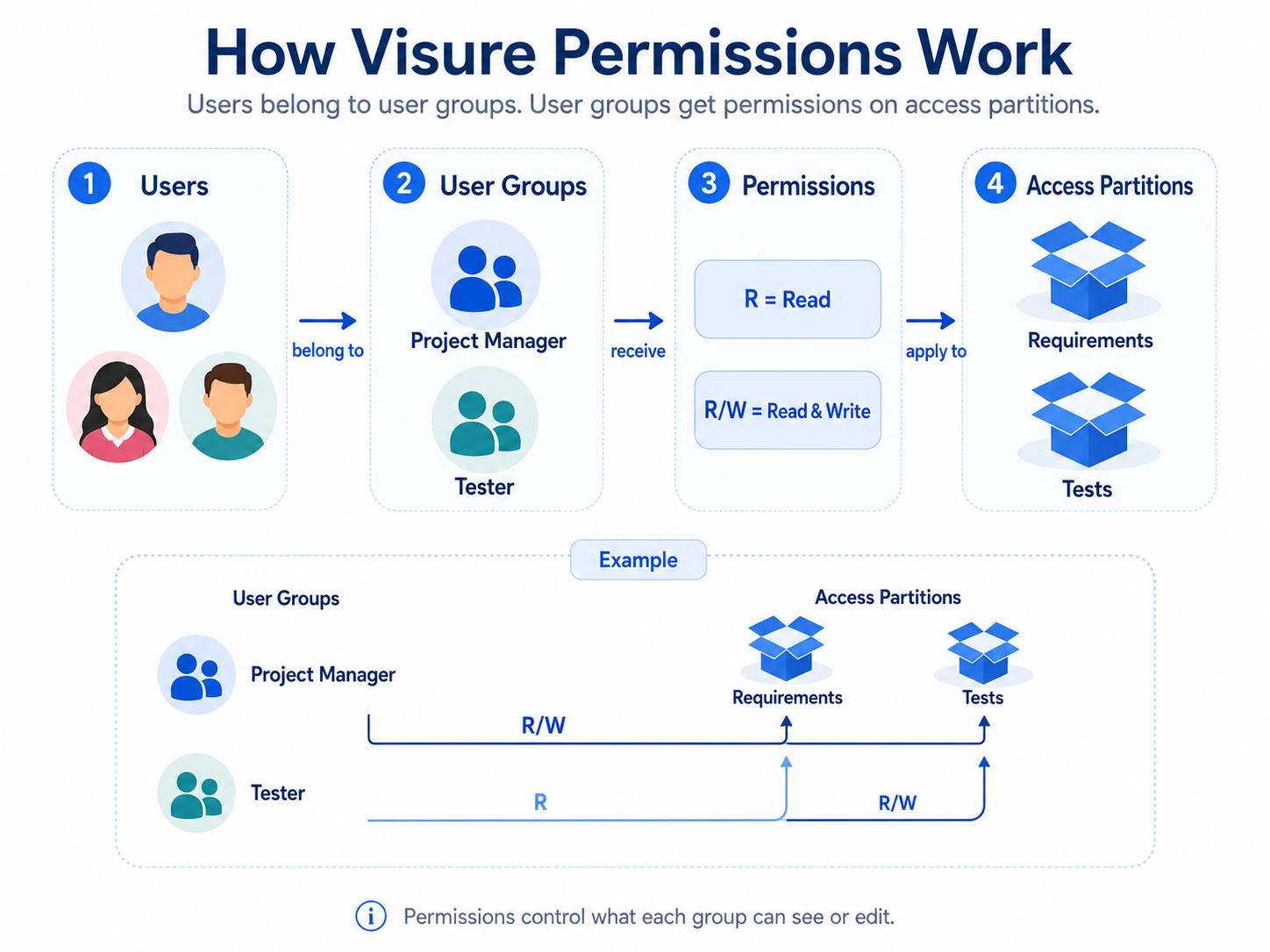
James belongs to the Requirements Engineer group. That group has full read-write on the Requirements partition (so James can edit any item there) and read-only on the Tests partition (so James can read tests but not modify them). What James can do is decided by the group's permissions, not by the group's name.
Two practical consequences flow from this:
You can have as many groups as a project needs. If your team has Safety Engineers, Suppliers, External Auditors, or a Compliance Officer who should see only certain partitions, an administrator creates a group for each and grants the right permissions.
When you create a project from a blank template, only the Project Manager group exists. This group has administrative capabilities in the project — it's the one that can create the other groups, define access partitions, and shape how the project works. The other default groups (RE, Tester, Reviewer) are pre-built into Visure's standard templates as a starting point.
The full permissions model — multiple groups, multiple partitions, every permission combination, and the Visure database that holds it all together — lives in Section B.3 of the admin track.