Settings (project)
The Settings tab holds the project-level options that control how the project behaves — notifications, linking rules, comments, and item-code formatting. These are administrator-only, since they change editing behavior for everyone in the project. The tab is organized into several collapsible sections.
Save your changes. Nothing on this tab takes effect until you click Save at the bottom. It's easy to configure a section and navigate away without applying it — if you do, your changes are lost.
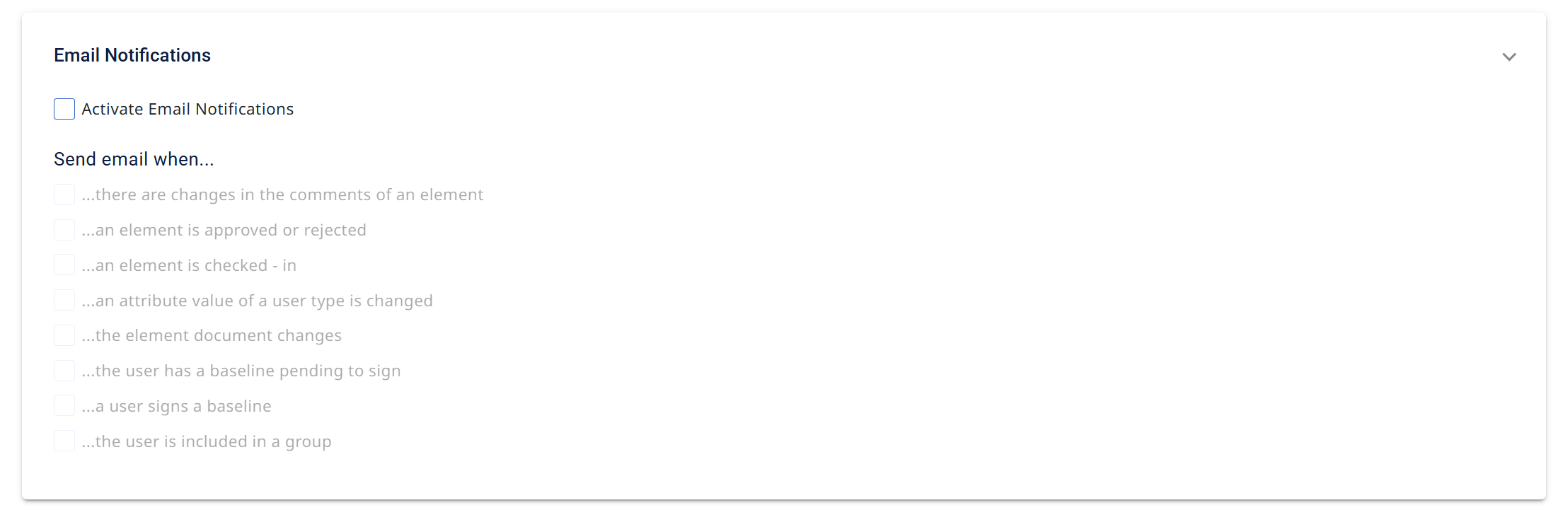
Email Notifications
Turn project email on with Activate Email Notifications, then choose which events trigger an email under Send email when…:
- there are changes in the comments of an element
- an element is approved or rejected
- an element is checked-in
- an attribute value of a user type is changed
- the element document changes
- the user has a baseline pending to sign
- a user signs a baseline
- the user is included in a group
(These require the repository's Email Configuration to be set up first — see the Overview → Email Configuration article.)
Links
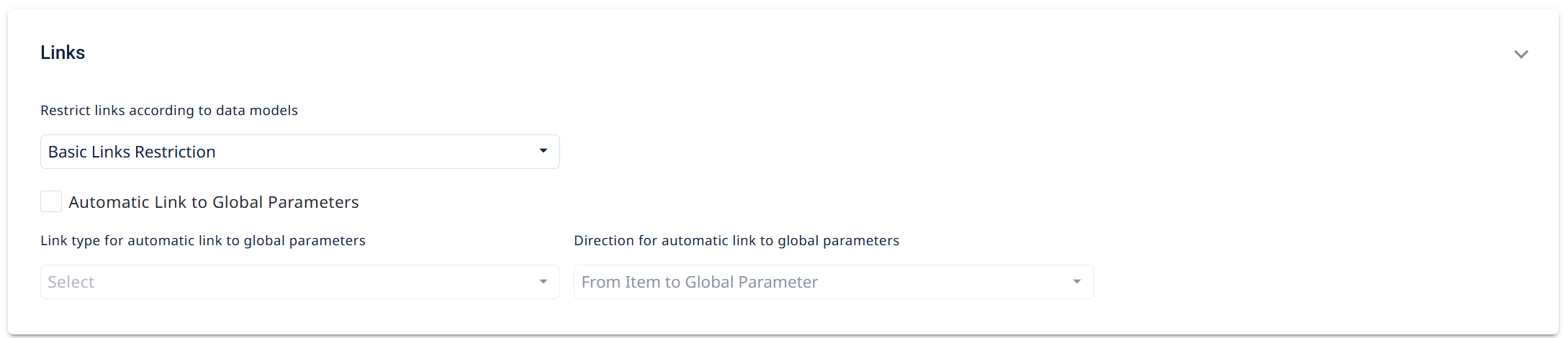
Controls how traceability links behave in the project:
- Restrict links according to data models — how strictly links follow the data model (e.g. Basic Links Restriction). This governs which links users are allowed to create.
- Automatic Link to Global Parameters — when enabled, items are automatically linked to global parameters. You then set the Link type and Direction (e.g. From Item to Global Parameter) used for that automatic link.
Permissions Needed to Create Links
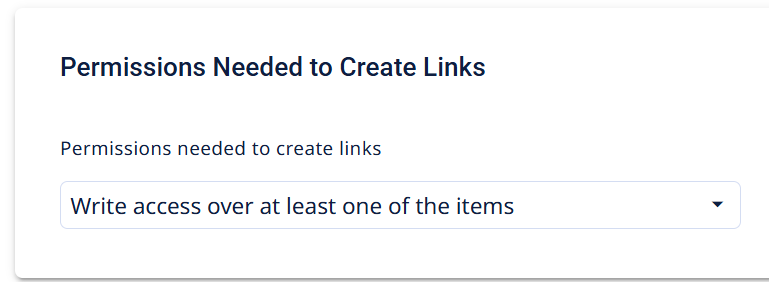
Permissions needed to create links sets the access level required to make a link — for example Write access over at least one of the items. This determines how much permission a user needs before Visure lets them create traceability.
Comments
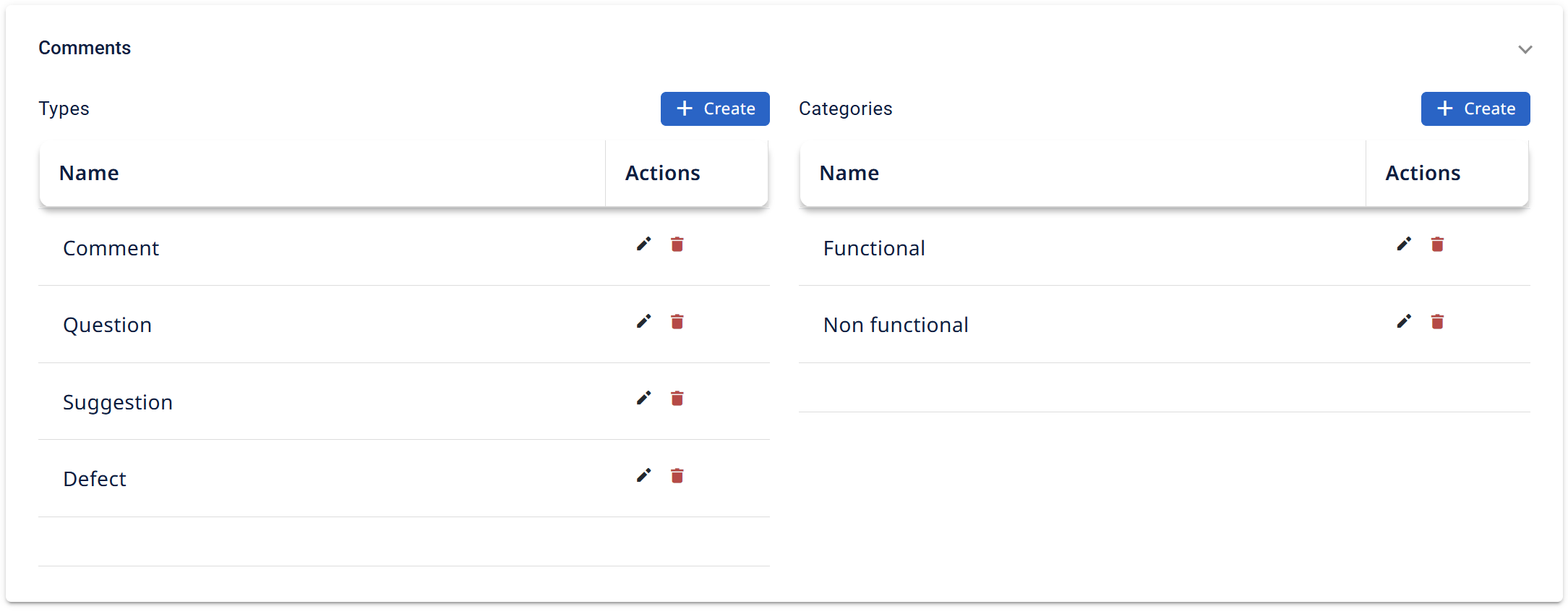
Defines the vocabulary for item comments, in two lists you can Create, edit, or delete entries in:
- Types — the kinds of comment available (e.g. Comment, Question, Suggestion, Defect).
- Categories — the classification applied to a comment (e.g. Functional, Non functional).
Administration Settings
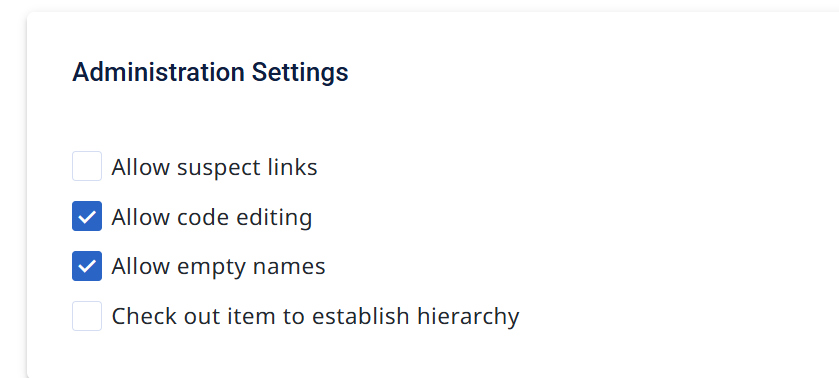
Core editing behaviors, toggled on/off:
- Allow suspect links — enable suspect-link flagging in the project.
- Allow code editing — let users modify item codes.
- Allow empty names — permit items with no name (otherwise a dash
-is added by default). - Check out item to establish hierarchy — require an item to be checked out before its hierarchy can be changed.
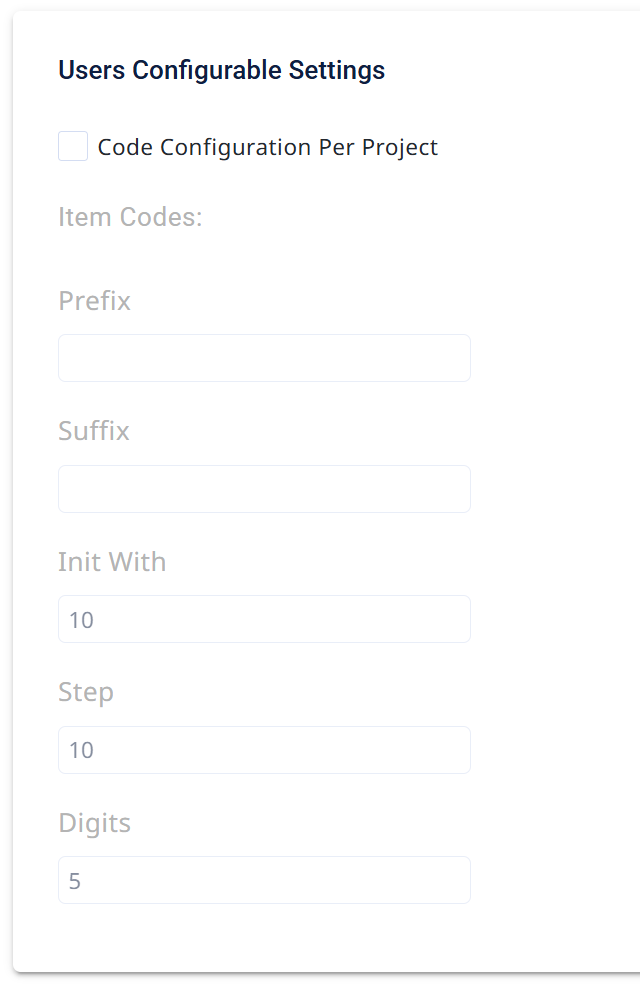
Users Configurable Settings
Controls how item codes are generated:
- Code Configuration Per Project — enable project-specific code formatting.
- Item Codes — the pattern for auto-generated codes:
- Prefix / Suffix — text added before/after the number.
- Init With — the starting number (e.g.
275). - Step — the increment between codes (e.g.
1). - Digits — the zero-padded width of the number (e.g.
5→00275).