Password Security
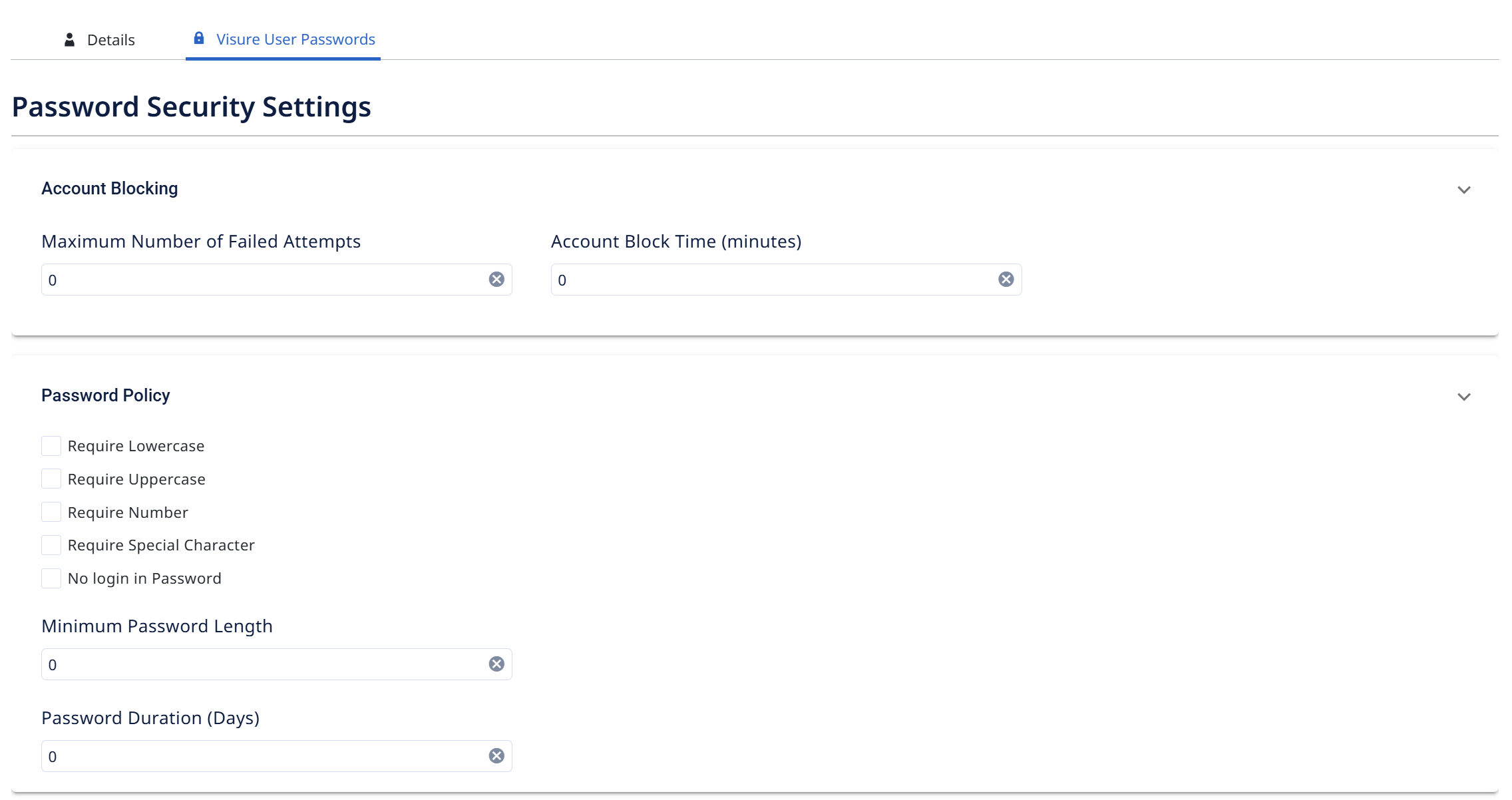
The Visure User Passwords tab controls the security rules for Visure-native accounts (external types — Entra ID, OpenID Connect, Windows — are governed by their own identity providers). Under Password Security Settings there are two sections.
Account Blocking
Protects against brute-force login attempts:
- Maximum Number of Failed Attempts — how many failed logins are allowed before the account is blocked.
- Account Block Time (minutes) — how long a blocked account stays locked before it can try again.
A value of 0 disables the limit (no automatic blocking).
Password Policy
Sets the rules every Visure user password must meet:
- Require Lowercase — must contain a lowercase letter.
- Require Uppercase — must contain an uppercase letter.
- Require Number — must contain a digit.
- Require Special Character — must contain a symbol.
- No login in Password — the password can't contain the user's login/username.
- Minimum Password Length — the shortest allowed password (0 = no minimum).
- Password Duration (Days) — how long a password stays valid before the user must change it (0 = never expires).
Set these to match your organization's security requirements, then Save. The rules apply to new passwords and password changes for all Visure users.