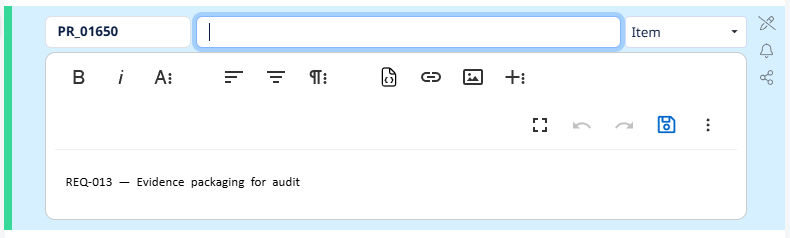
Edit an item
To modify an existing item — change its name, description, type, or attribute values — you check it out, make your changes, and check it back in. Same pattern as everything else in Visure (Section 1.1).
To edit an item:
- Select the item.
- Take the lock — click
Check out, right-click and chooseCheck out, or pressAlt + O. The color bar turns green. - Update what you need to change:
- Click the name to edit it inline.
- Click the description to open the rich-text editor.
- Use the Details panel on the right to update the item type or any attribute values.
- Check it back in —
Alt + I— and add a check-in comment.
If you want to discard your changes instead of saving them, press Alt + U to undo the check-out. Remember: undo deletes the version that was created when you checked out (Section 1.1).
Batching edits. Multiple changes within a single check-out create one version. If you're updating several attributes or rewriting a description, make all your changes before checking in.